Case study 02 · Oona Insurance · SG · Website · Insurance sales channel
Connecting a D2C buying flow and an agent sales tool into one platform
A digital insurer operating across Indonesia and the Philippines needed to improve conversion on its D2C buying flow.
- Role
- Senior Product Designer
- Platform
- Responsive website
- Scope
- Research, UX design, design system
- Result
- Critical-step drop-off: 55–72% → 23–45%
Context
Insurance clients still need a human touch in the buying process
The fix required connecting both platforms through a handoff that turned abandoned sessions into agent-assisted completions.
Problem discovery
Drop-off rate on each insurance product as the anchor for the fix
PostHog had been running on the platform for six months before we began the investigation. Price uncertainty was the first barrier: 60% of users dropped off at the first pricing page, which a persistent live quotation anchored to the navigation brought down to 42%. Beyond pricing, each product still lost most users at one critical step. We took that step as the anchor for the fix.
| Product | Highest drop-off step | Drop-off rate |
|---|---|---|
| Critical Illness | Personal details | 72% |
| Travel | Plan details | 63% |
| CTPL | Vehicle details | 55% |
Solution
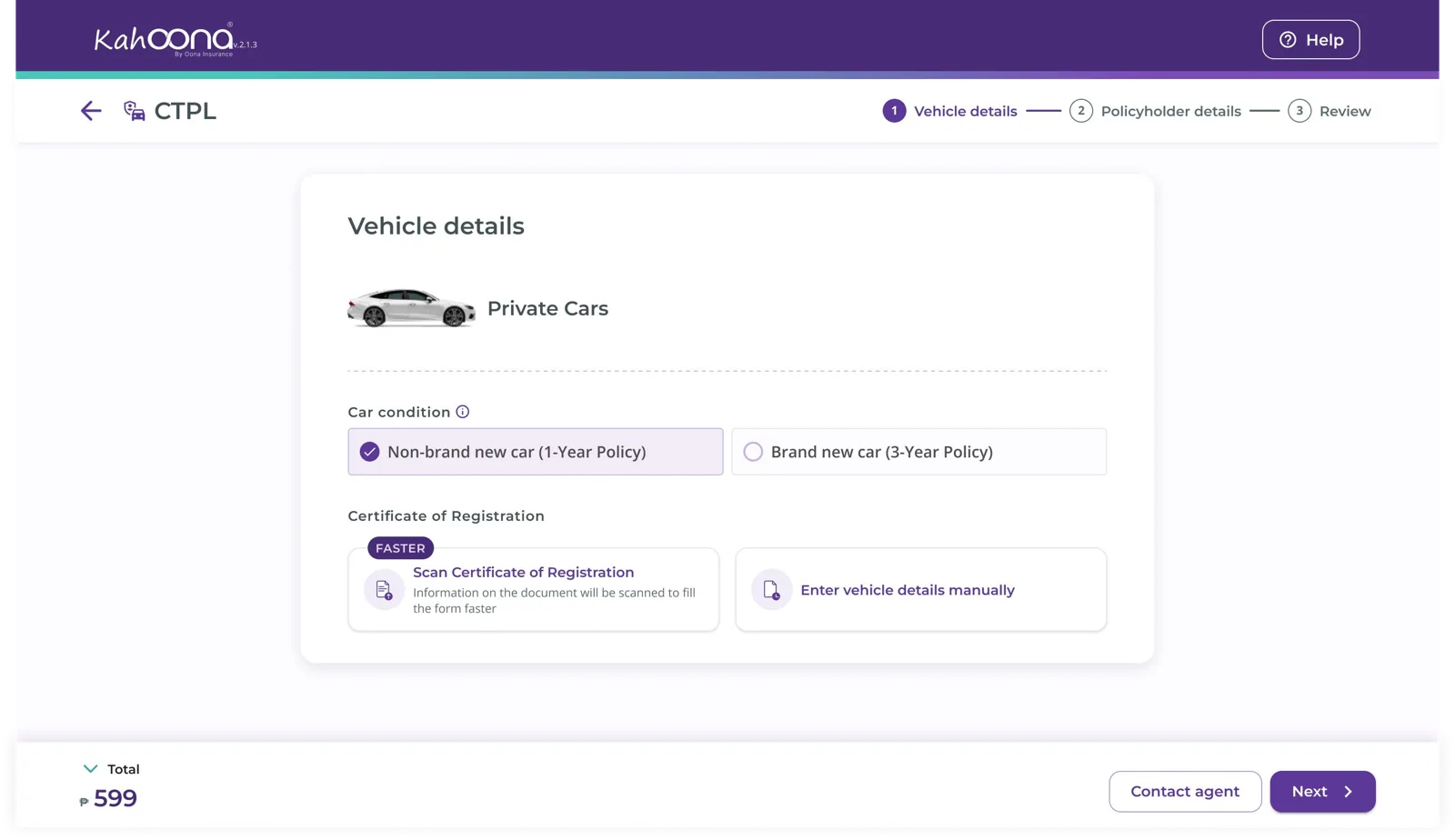
A “Contact agent” option at the highest drop-off step hands the process to an agent
One platform, two entry points · Reenactment of the shipped flow
- 1 · Critical stepCustomer stalls
- 2 · Contact agentSession saved
- 3 · Agent assignedFull context
- 4 · CompletionAgent finishes
Waiting for new leads…
- ✓Vehicle details
- ✓Policyholder details
- ✓Review
Client hits the critical step
Personal details (CI), Plan details (Travel), Vehicle details (CTPL)
Taps “Contact agent”
The client-view session concludes. Selections and details are preserved.
Agent assigned with full context
The system routes the case to the agent view, with all prior input.
Agent-assisted completion
The agent completes the remaining steps, then contacts the client to finish the payment.
Result
Drop-off fell at every critical step
One month after release, placing the “Contact agent” button on each product’s critical step proved successful in reducing drop-off. It gave hesitant users a direct path to completion instead of abandoning the purchase.
| Product | Critical step | Before | After |
|---|---|---|---|
| Critical Illness | Personal details | 72% | 45% |
| Travel | Plan details | 63% | 23% |
| CTPL | Vehicle details | 55% | 32% |
Source: PostHog, one month after release.